Built by people who have been there


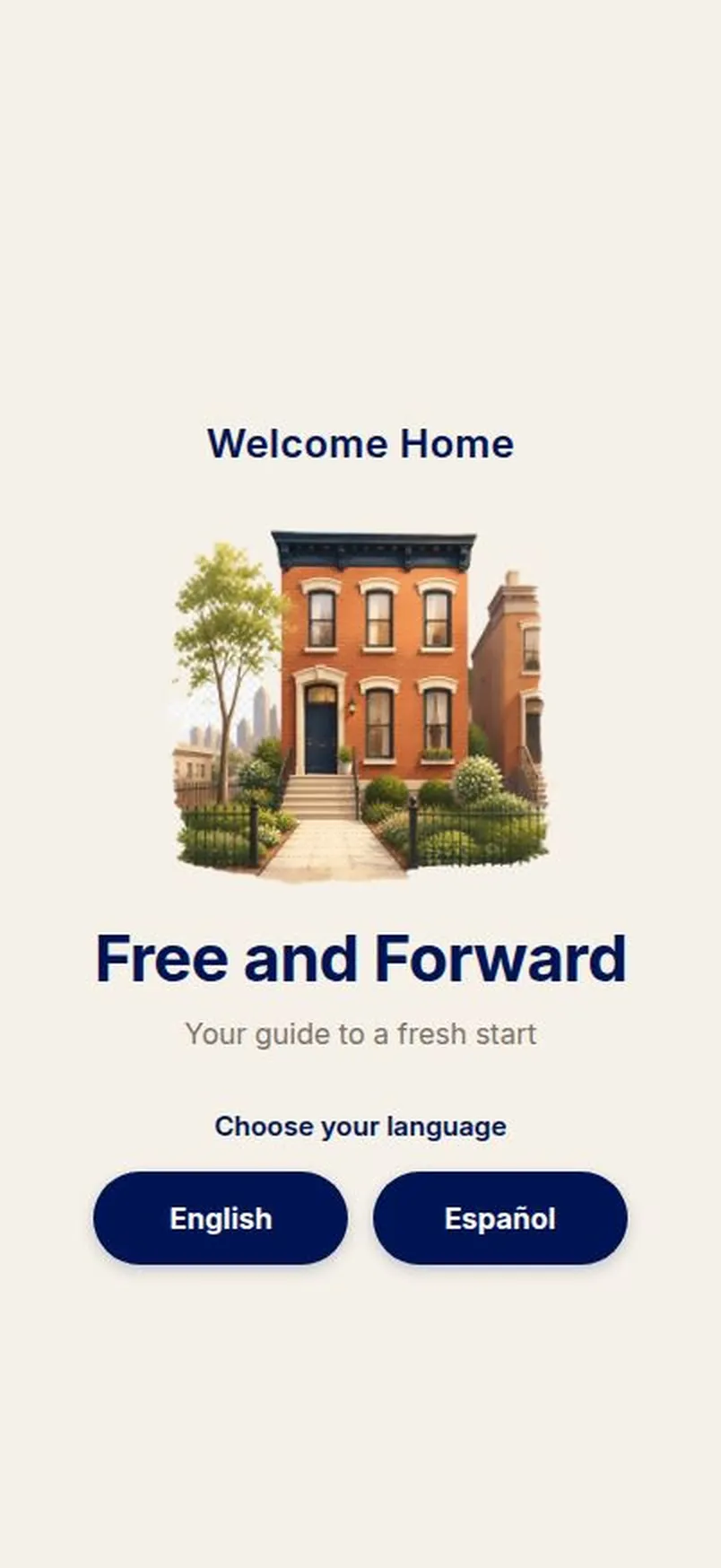
Live view from the app launch screen
Free to start. No card.
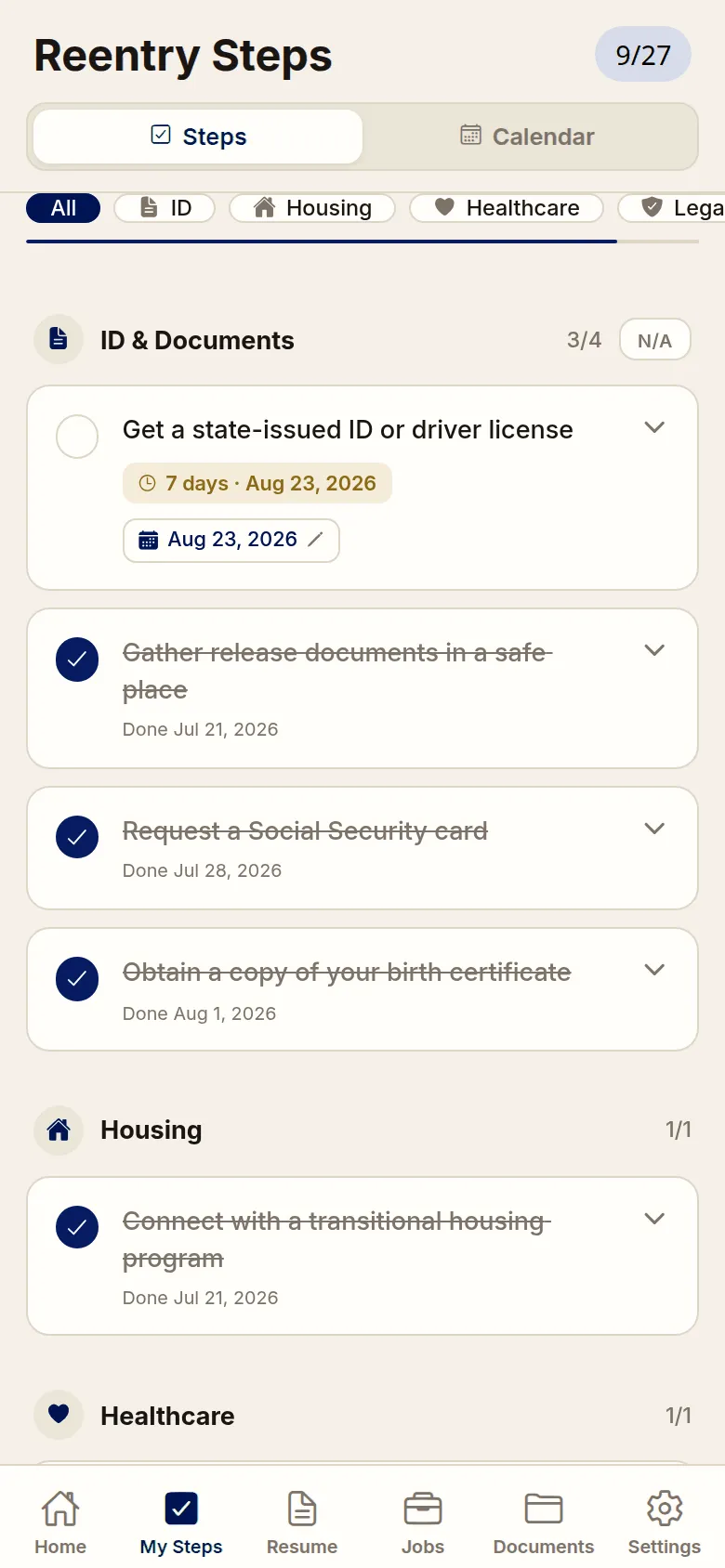
✓ 27 steps, in the right order
✓ Resources for credit, insurance, starting a business
✓ Documents encrypted on your phone
✓ Nothing shared with any agency
What's inside
Free

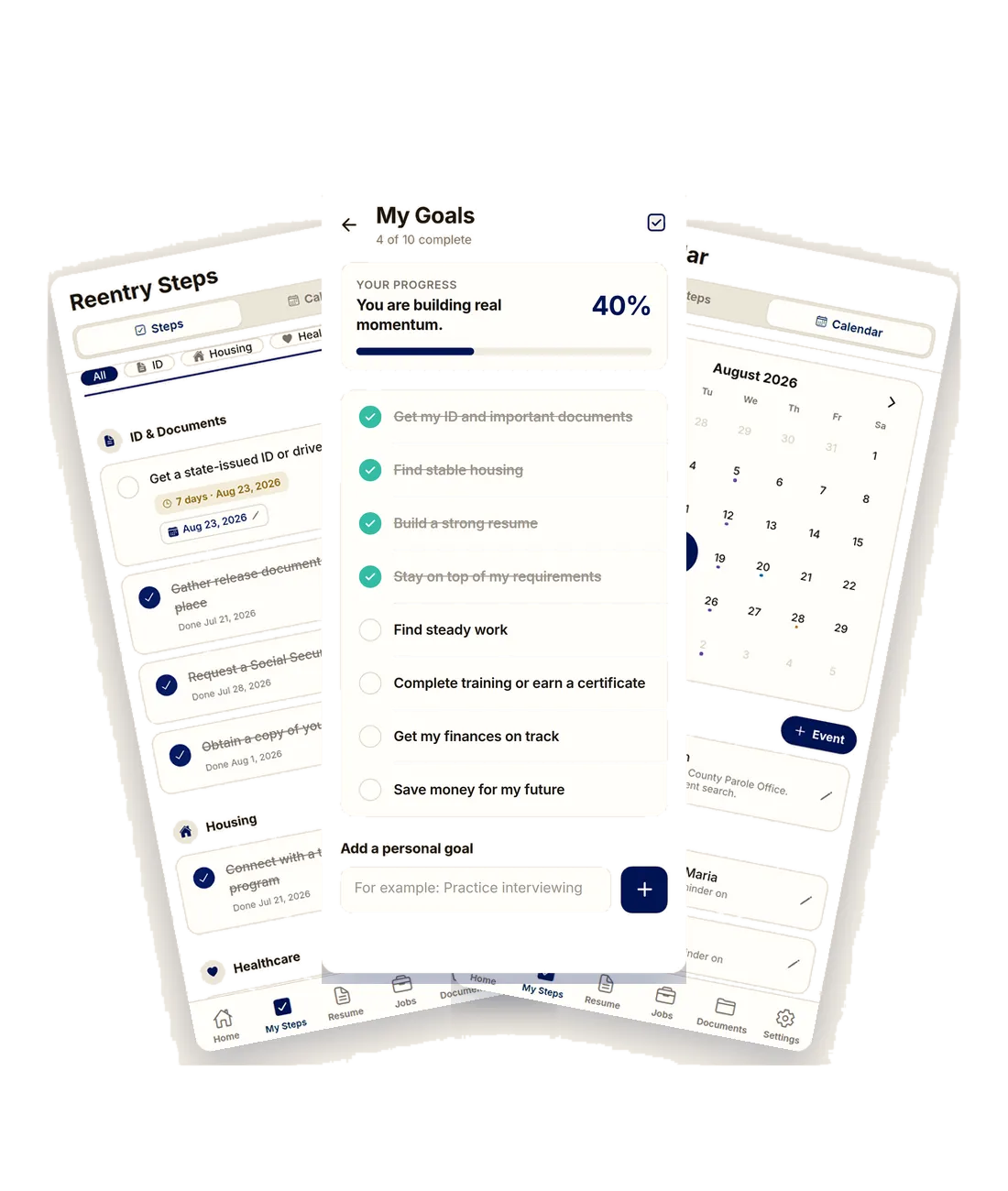
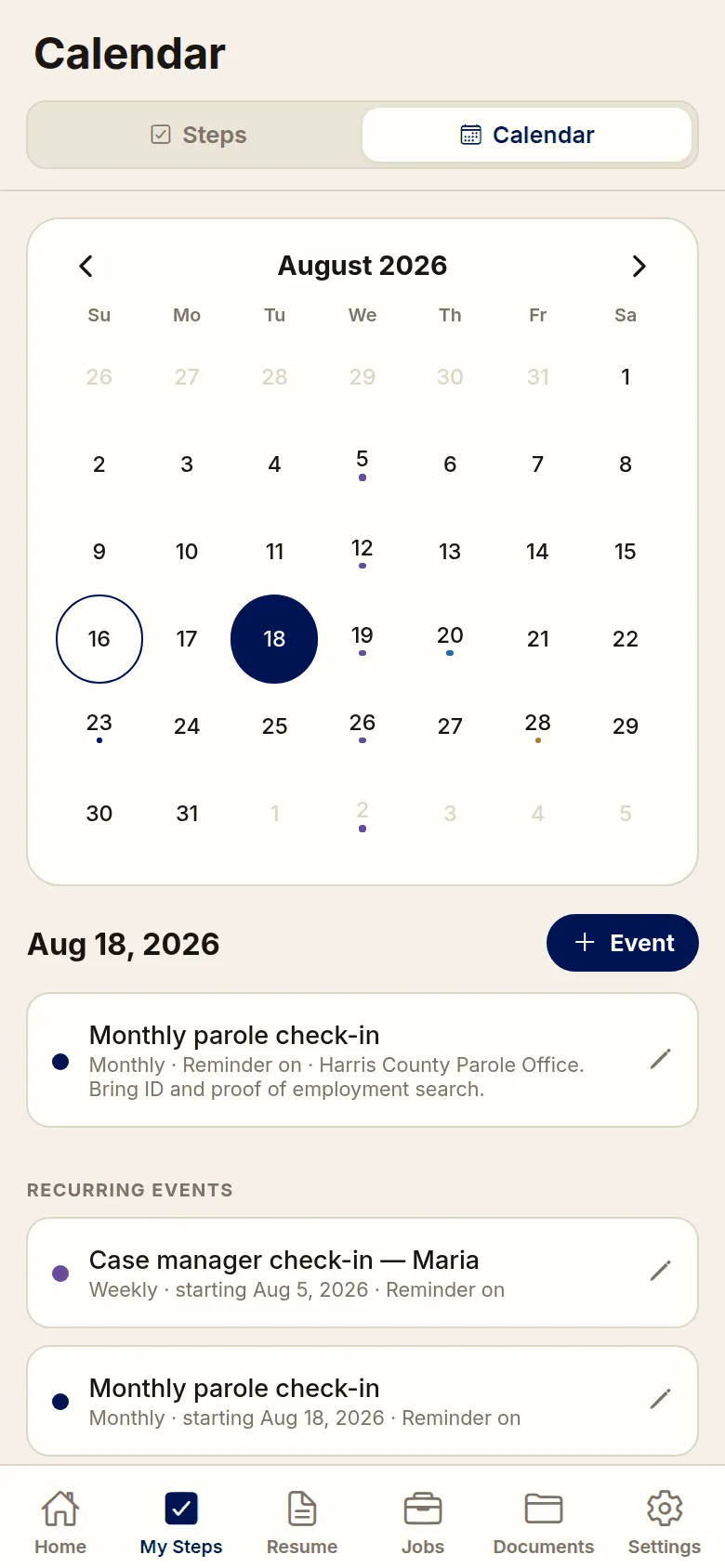
Goals, Steps & Calendar
• Pick your goals when you start, then watch the progress bar move
• 27 steps in the order they actually go in, with due dates
• Add your own steps and goals for your situation
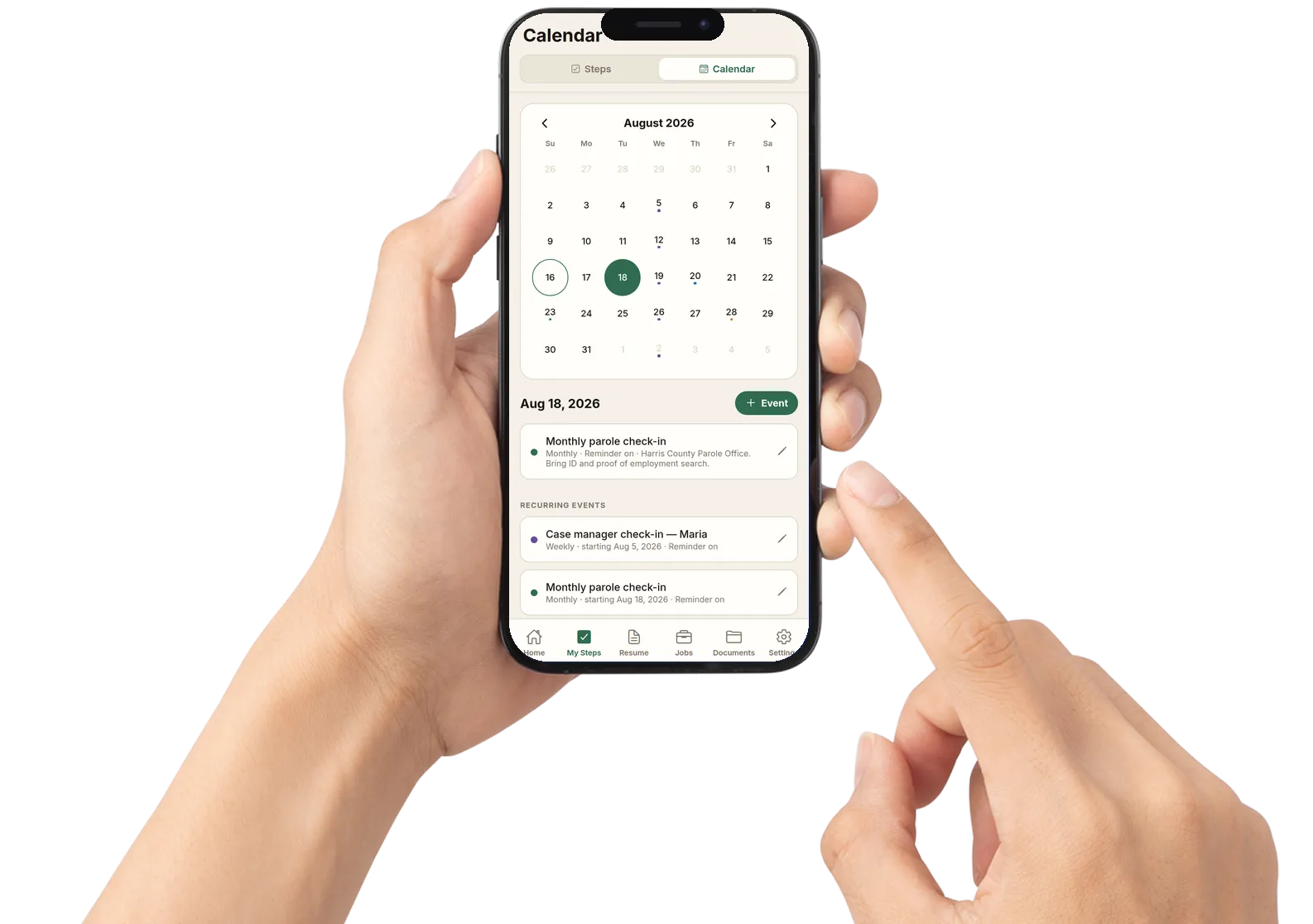
• Calendar for check-ins, court dates, work and family
★ Event and deadline reminders are free as phone notifications. Basic adds the same reminders by email
Free

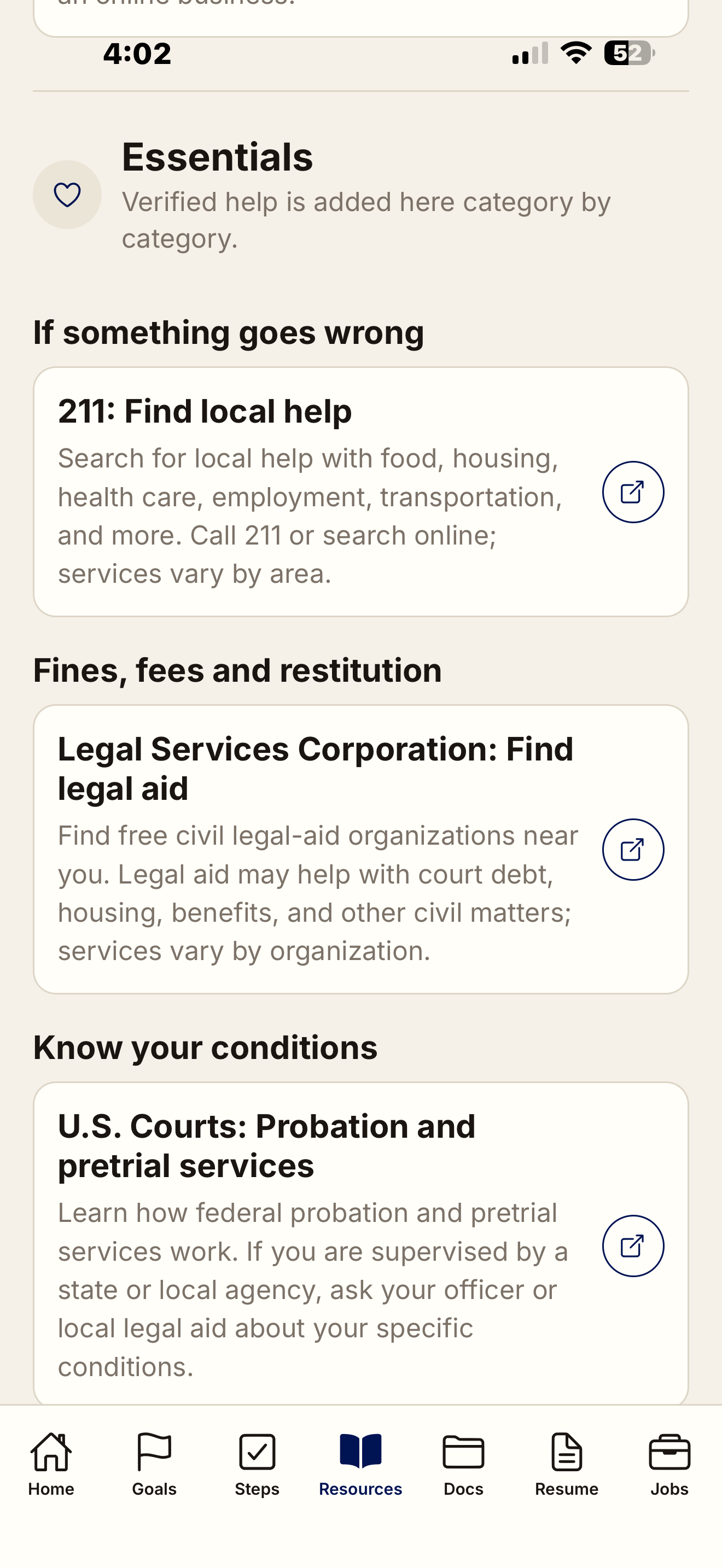
Resources
• Verified links for housing, benefits, health coverage and legal aid
• 211 for local help, and what your supervision conditions mean
• ID, driver's license, child support, school and job licensing
• Partners for building credit, car insurance and starting a business
• Free on every tier
Basic

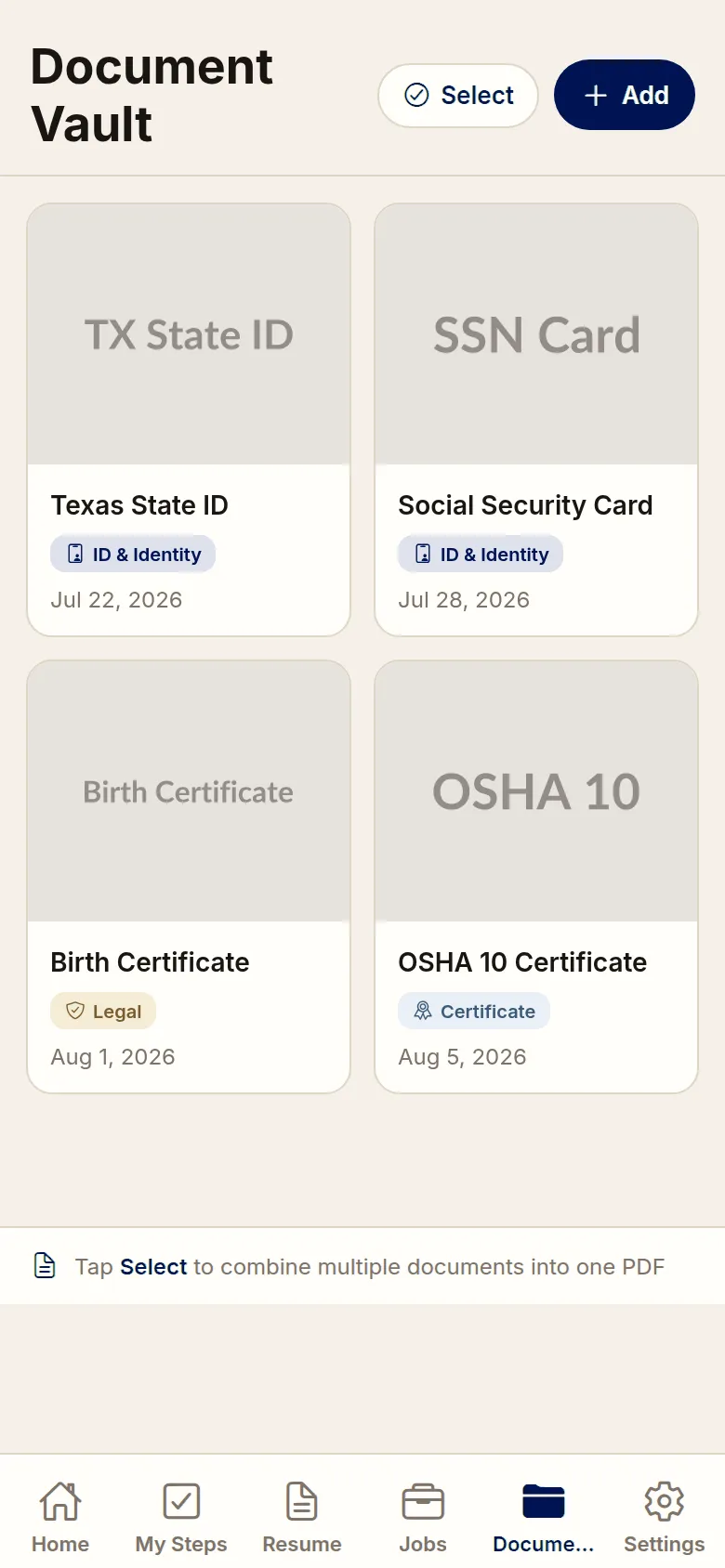
Document Vault
• Photos of your ID, birth certificate and release papers
• Tagged, so you can find one when you are asked for it
• Encrypted on your phone before it is uploaded
• We store only the encrypted file — we cannot read it
• Nothing shared with any agency
Basic

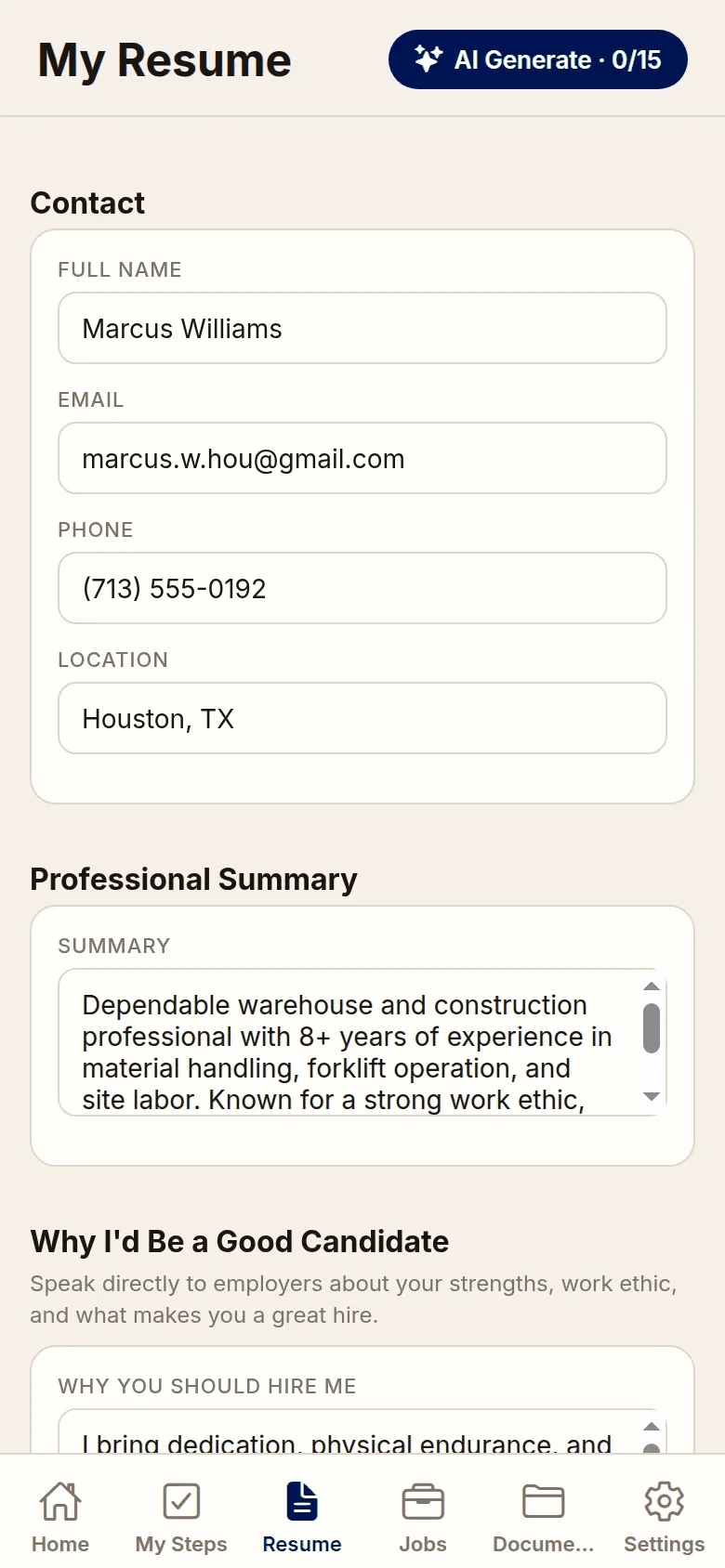
Resume Builder
• Build a resume from your phone, in a format employers accept
• Work history, skills, training and certifications
• Room to explain a gap in your work history in your own words
• Exports as a PDF you can email, upload or print
Basic

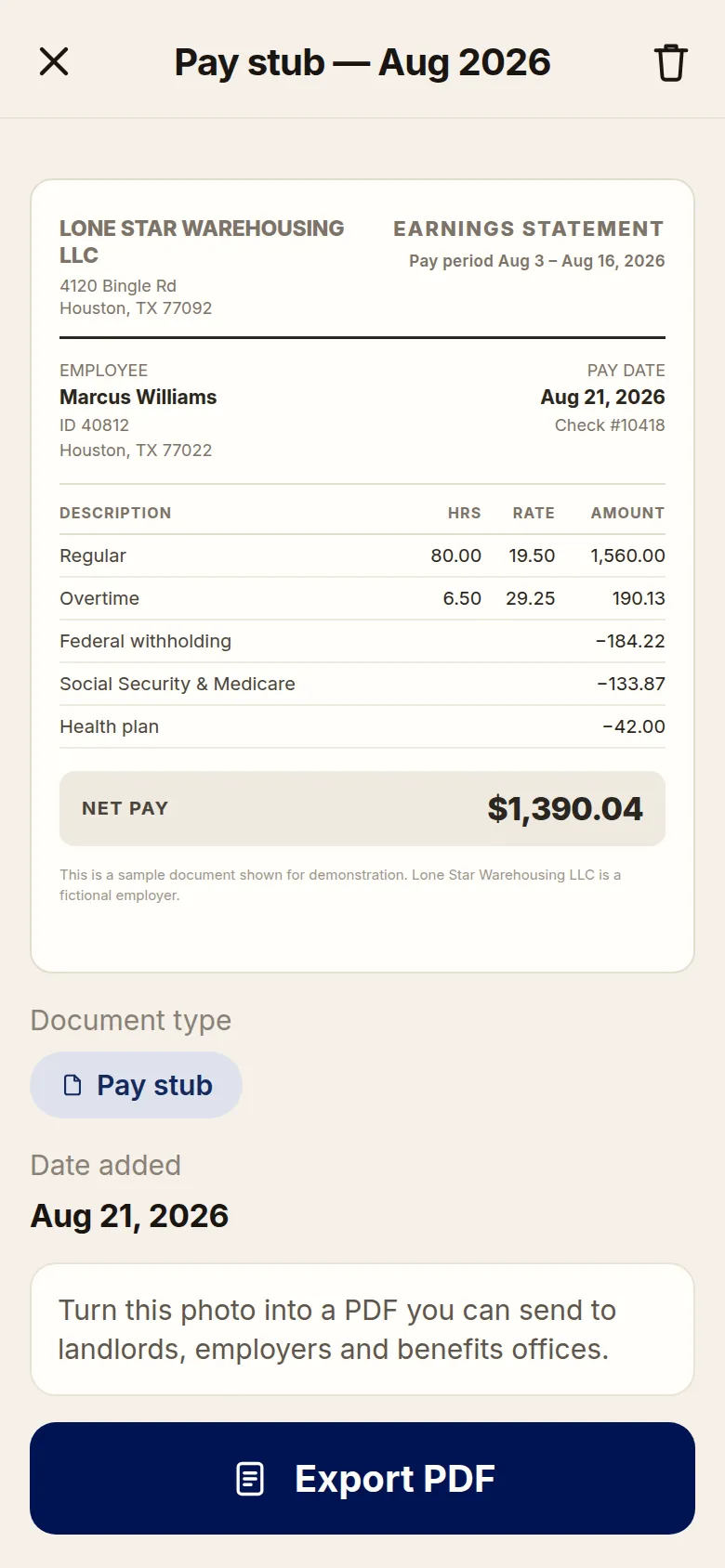
Photo to PDF Converter
• Photograph a pay stub, your ID or your release papers
• Comes out as a clean, properly named PDF
• The format POs, landlords, lenders and employers ask for
Plus
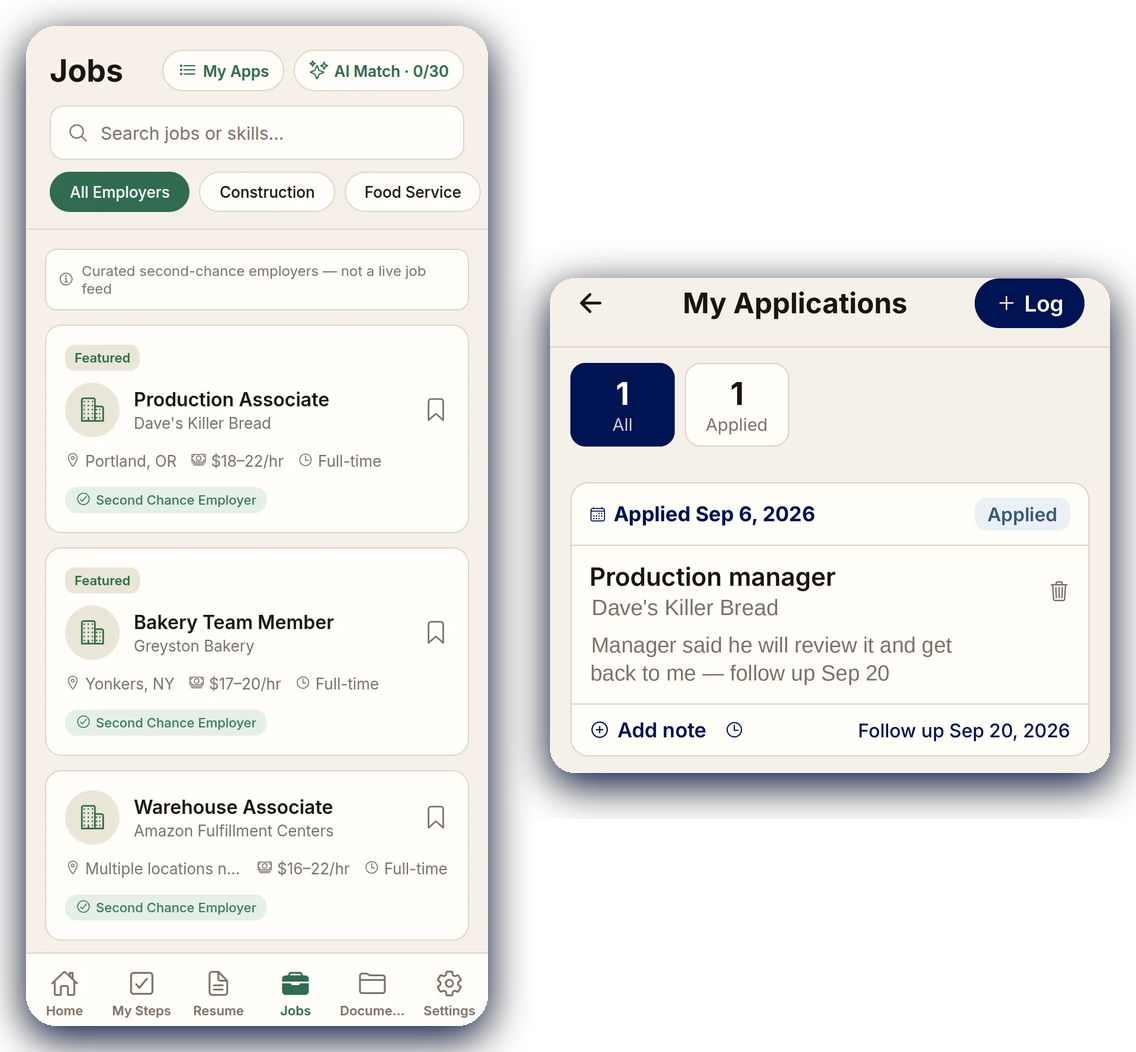
Job Board
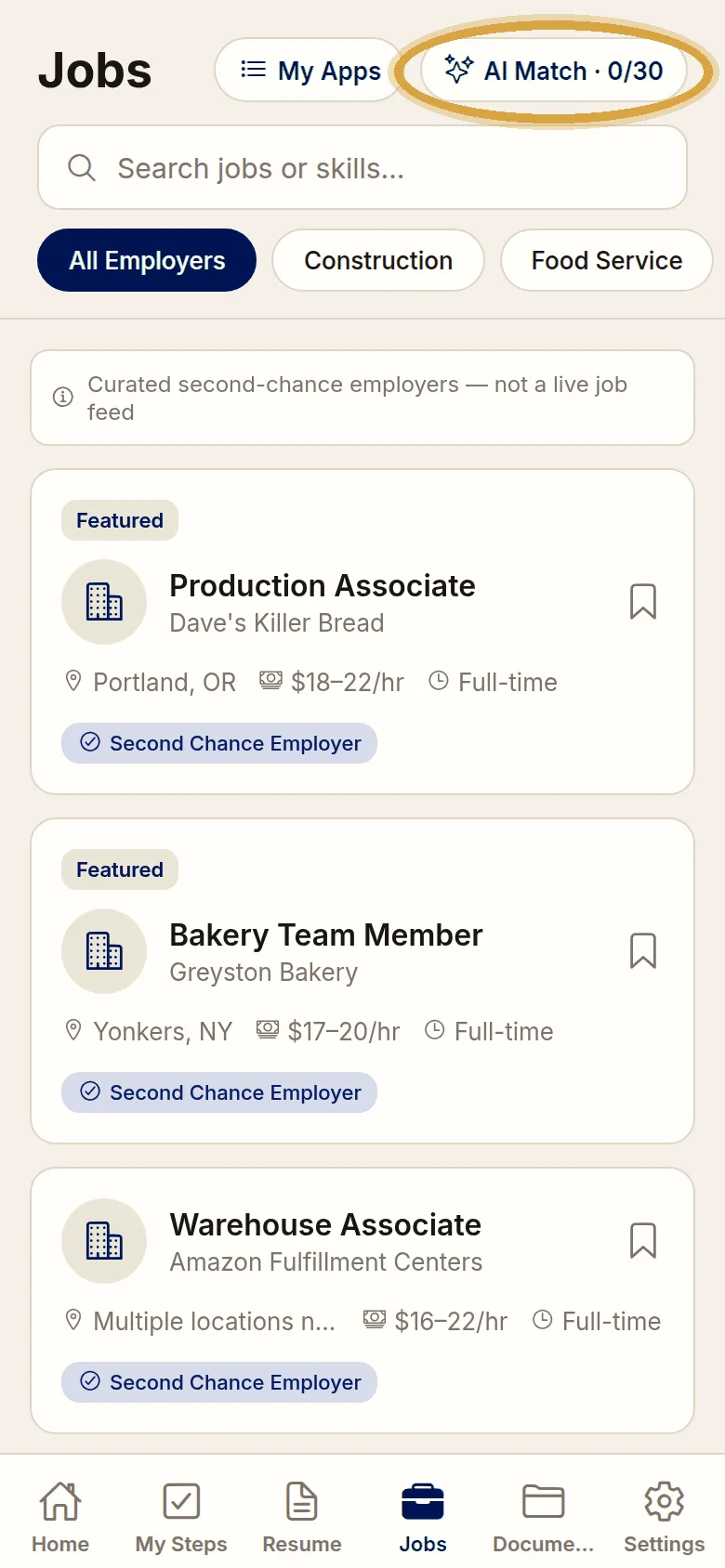
• Second-chance employers who hire people with records
• Log every job you apply to — company, role and the date you applied
• Track the status — Applied, Interviewed, Offered, Not selected, Withdrawn
• Add notes as things happen, and set a follow-up date so you know when to chase it
• Saved roles sync across your devices — free on every tier
• Push and email reminders, included from Basic up
Premium

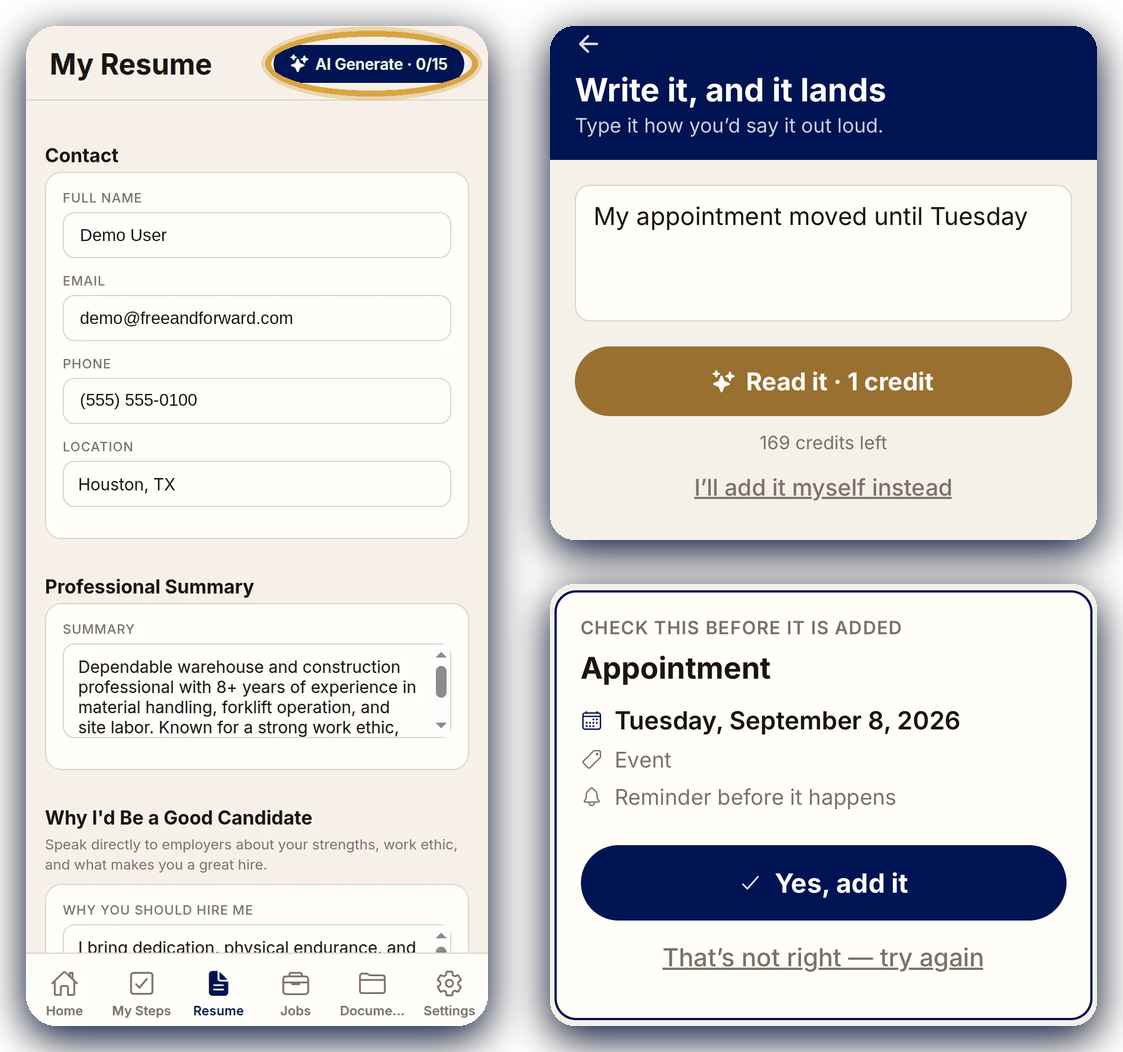
Write with AI
• Drafts your resume and cover letter, including the paragraph about the gap
• Writes letters and emails — to a landlord, an employer, your PO, or to family
• Write the appointment how you'd say it — “my appointment moved until Tuesday” — and it works out the date
• You check the full date on screen before anything is added to your calendar
• Only what you type goes in — nothing is invented, and you read it before you send it
Premium

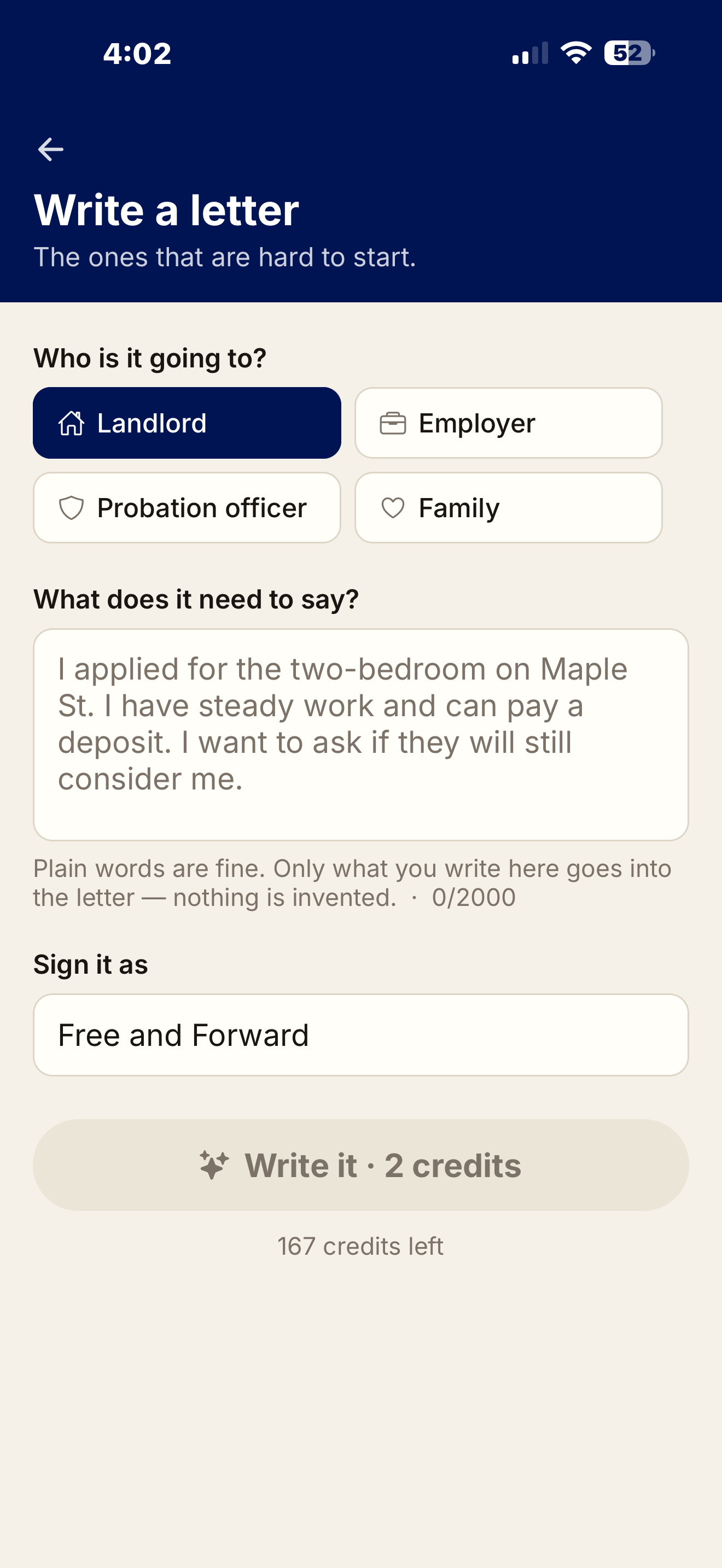
Write a Letter
• The ones that are hard to start — a landlord, an employer, a probation officer, family
• You type the facts in plain words and it writes the letter
• Only what you write goes in — nothing is invented
• Sign it with your own name or leave it as is
★ 2 AI credits a letter, shown before you run it. Premium starts with 45
Premium

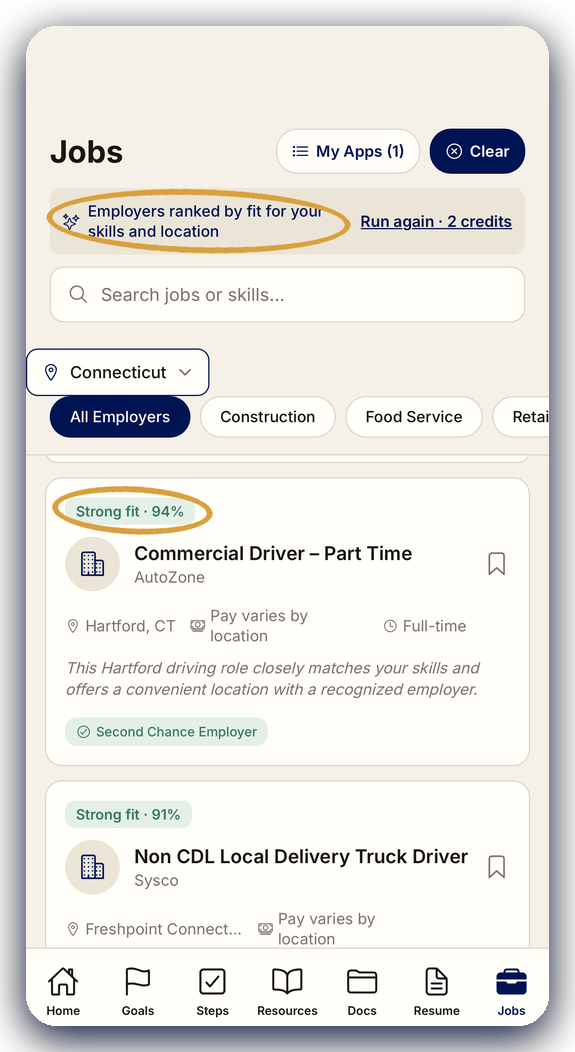
Intuitive Job Match
• Ranks every second-chance employer against your resume, your skills and where you are
• Labels each one Strong fit, Good fit or Possible fit, with the percentage — and tells you why it matched
• Filter by state and by trade — construction, food service, retail and more
• Second-chance employers flagged, so you know who actually hires people with records
• Re-run the match whenever your resume changes
How it works
Step 01
Tell it your goals
Your release date, what you want to get done, and the kind of work you can do. Then put a first goal or appointment straight on your calendar, so day one already has something on it. No card needed to start.
1
Step 02
The checklist builds itself
Twenty-seven steps reorder around your answers, with real due dates and the lead time each one actually takes.
2
Step 03
Reminders do the rest
Court dates, check-ins and deadlines land on your calendar, and you can set a reminder on any event for free — delivered by the phone app. Deadline reminders on checklist steps are free too, as app notifications; Basic adds the same reminders by email.
3
Pricing
One-time purchase
Compare all tiers
NO SUBSCRIPTION
$0/
to start
What you get:
27-step reentry checklist
Goal setting with tracked progress
Customized to your situation
Calendar with event reminders — free in the phone app
Resources directory, tailored to your state
Nothing shared with any agency
Cloud backup and sync — English and Español
$9.99/
one time
Everything in Free, plus:
Document vault — ID, birth certificate, release papers
Resume builder
Photo to PDF — the file an office will accept
Deadline reminders by email
Encrypted on your phone before it backs up — we can't open it
Combine documents into one PDF
$24.99/
one time
Everything in Basic, plus:
Job board — curated second-chance employers, with pay and location
Application tracker — company, role, date applied
Status on every application: applied, interviewed, offered
Follow-up reminders — 3 days, 1 week, 2 weeks, 1 month
Export all your data
PDF export
$34.99/
one time
Everything in Plus, plus:
AI resume and cover letter — a gap in work history handled the right way
Letter writer — landlord, employer, probation officer, family
AI Match — employers ranked against your resume, skills and location
Type an appointment in plain words — it lands on your calendar
45 AI credits included · 50 more for $9.99, one time · never expire
Buying here costs less than buying inside the app. Already own a tier? You pay only the difference to move up — on this website, Basic to Plus is $15.00, Basic to Premium is $25.00 and Plus to Premium is $10.00. Premium includes 45 AI credits, powered by OpenAI — anything written costs 2, an appointment costs 1, and every screen shows the cost before you run it. Out of credits? 50 more for $9.99, one time. Credits never expire.
In-app upgrades. Already bought a tier in the app? You pay about the difference to move up: from Basic ($12.99) to Plus ($32.49), you pay $19.49; from Basic ($12.99) to Premium ($45.49), you pay $32.49; from Plus ($32.49) to Premium ($45.49), you pay $12.99. The upgrade credit never expires.
Sign up here first, then sign in on the app — that skips the store fee. You keep $3.00 on Basic, $7.50 on Plus and $10.50 on Premium.
What we will never do
This is the first question everyone asks. Here is the answer, in writing.
Nothing goes to any officer or agency
Not your checklist, not your location, not whether you opened the app. There is no agency-facing view. It does not exist.
Your documents are encrypted on your phone
Your document photos are encrypted on your phone before they are uploaded. We store only the encrypted file. The key that opens it is created on your device and is never sent to us — if you lose both your account password and your recovery key, no one, including us, can open those files. That is true on every tier.
Nothing is tracked or reported
No location, no GPS, no check-in log. Reminders run off dates you entered, not where your phone is. Your checklist and calendar are stored so they follow you between devices — we never build a report from them, and no officer or agency can see them.
You can erase all of it, any time
One tap clears your checklist, documents and history off the device. The encrypted backups are deleted with it, and everything else in your account is deleted within 30 days.
The numbers
Missed appointments and lost paperwork drive a large share of technical violations. This is a national figure; individual states vary widely. Source: CSG Justice Center, Supervision Violations and Their Impact on Incarceration (2025 report, 2023 data).
Of state prison admissions came from supervision violations (2023)
Of your vault photos encrypted on your phone before they leave it


Questions
Why we built this
I'm Adam, founder of Free and Forward. I went the wrong way at a point in my life and ended up incarcerated. When I got out, I walked into a halfway house with a stack of paperwork and no idea where to start.
Get in touch
Free and Forward LLC · Enfield, Connecticut. Not affiliated with any government agency, court, or supervision authority.
info@freeandforward.com
860-730-1189